| Company | University of Bath |
| Course | EE40221: Mechatronic design project II |
| Skills Used | Electronic Prototyping, Software Development, Mechatronic System Design, Control Systems |
| Software | MATLAB, Simulink, Altium |
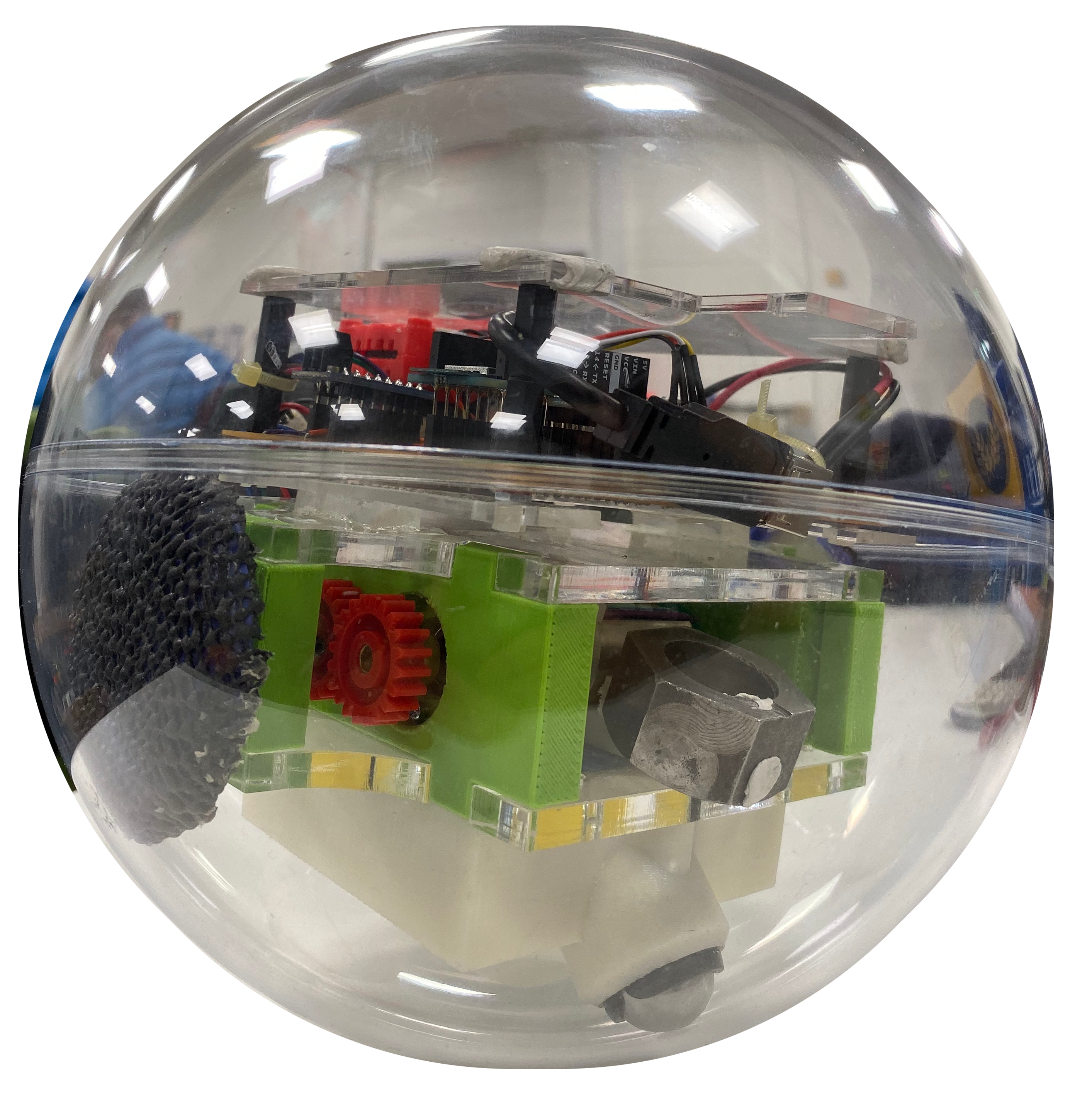
Using the scenario of a Mars rover, this project required a spherical robot to be controlled semi-autonomously over Wi-Fi, scanning ArUco codes with a JeVois camera as a method of determining position. The team set the goal of having an additional 'satellite' device that would take control of the ground robot at the beginning of an event and give commands. I took a lead on the spherical robot electronics and drive software and delivered a fully functional strip-board circuit with PID controlled drive. With the subsystems built individually, the team worked together on integration and delivered a working system that met all of the goals set.
Using the lessons learnt in previous projects, I built the electronics early on. This was designed to be as close to final as possible so that software did not need to be constantly modified to account for IO pin changes. A schematic was designed and subsystems tested on breadboard before being built using strip-board. There were 3 elements to the circuit:
1) Power Delivery: 5V needed for Arduino and JeVois camera, 3V3 for sensors and 7.2 for the motors, this was delivered by a Li-Ion battery.
2) Signal Routing: I2C was used for the accelerometer, serial for the JeVois
3) Motor Control: A motor driver was required to allow the Arduino to control the motors using PWM
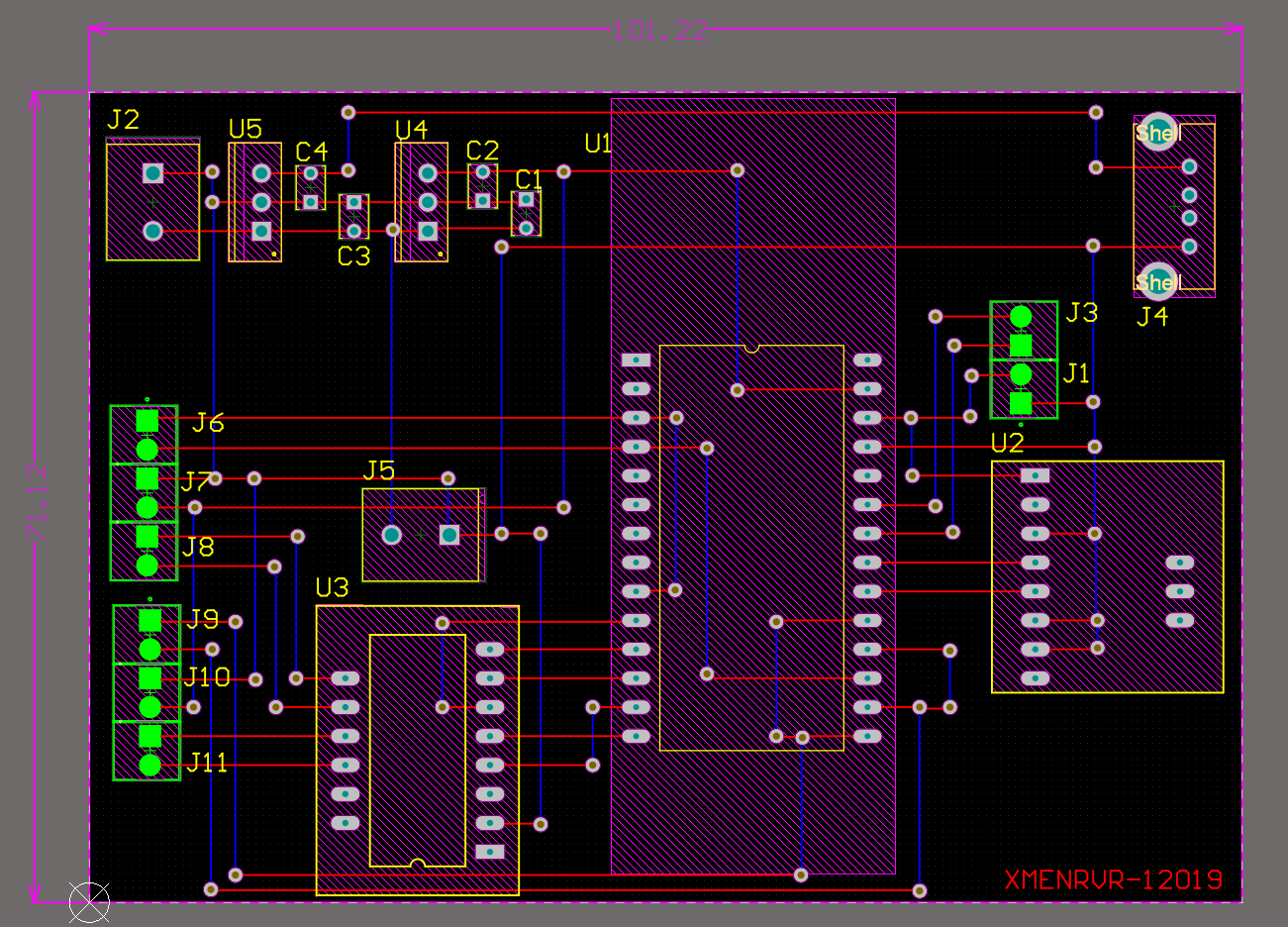
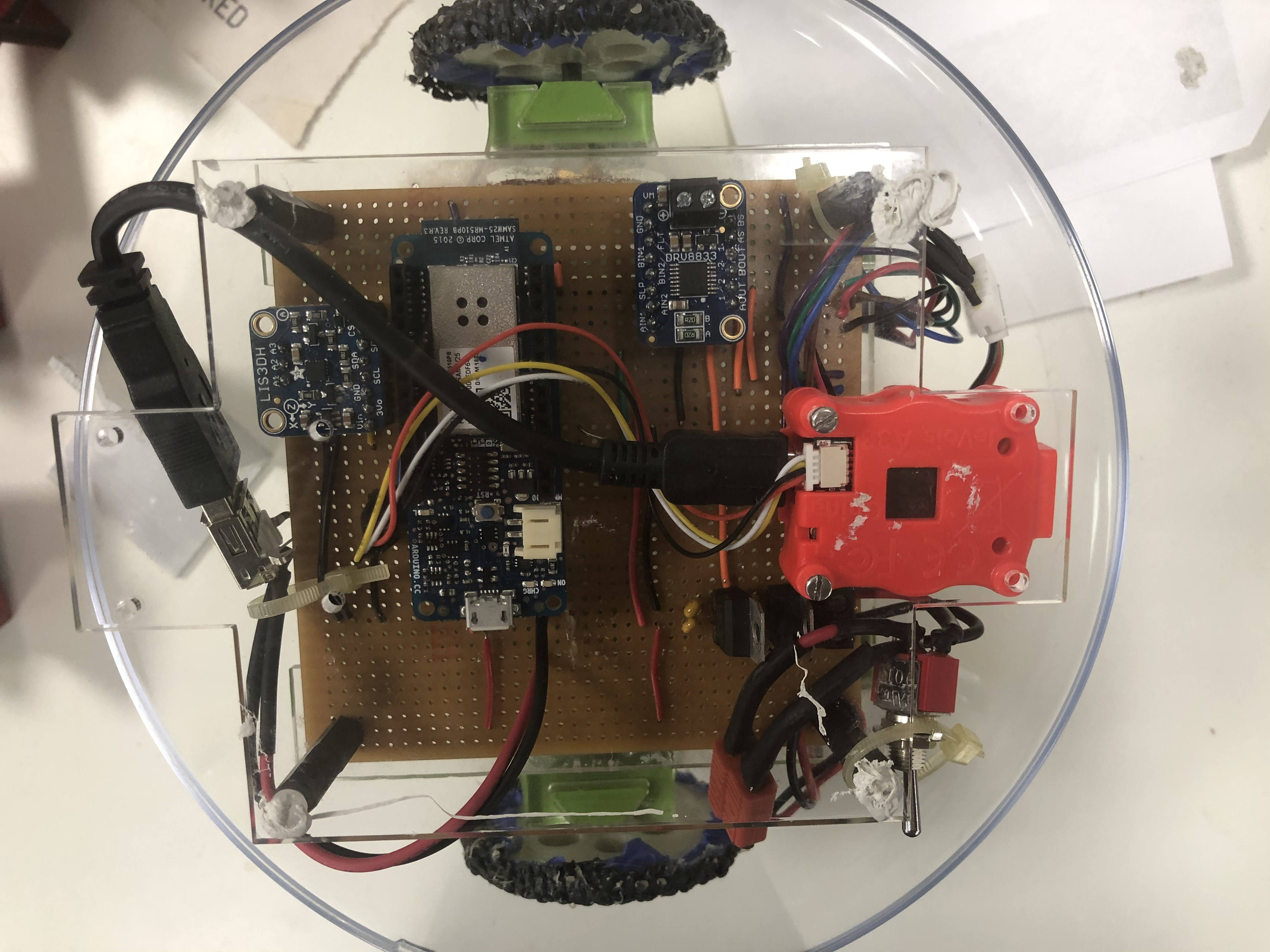
The robot had to fit inside a ball which constrained the size and height of possible designs. Therefore the circuit had to fit on a single layer of strip-board. Using Altium, components were placed to utilise the pre-existing tracks on the strip-board and minimise the need for additional wires. The result was a compact and easy to test board, this reduced the time spent troubleshooting the electronics during testing, allowing more issues to be fixed for the final demonstration.
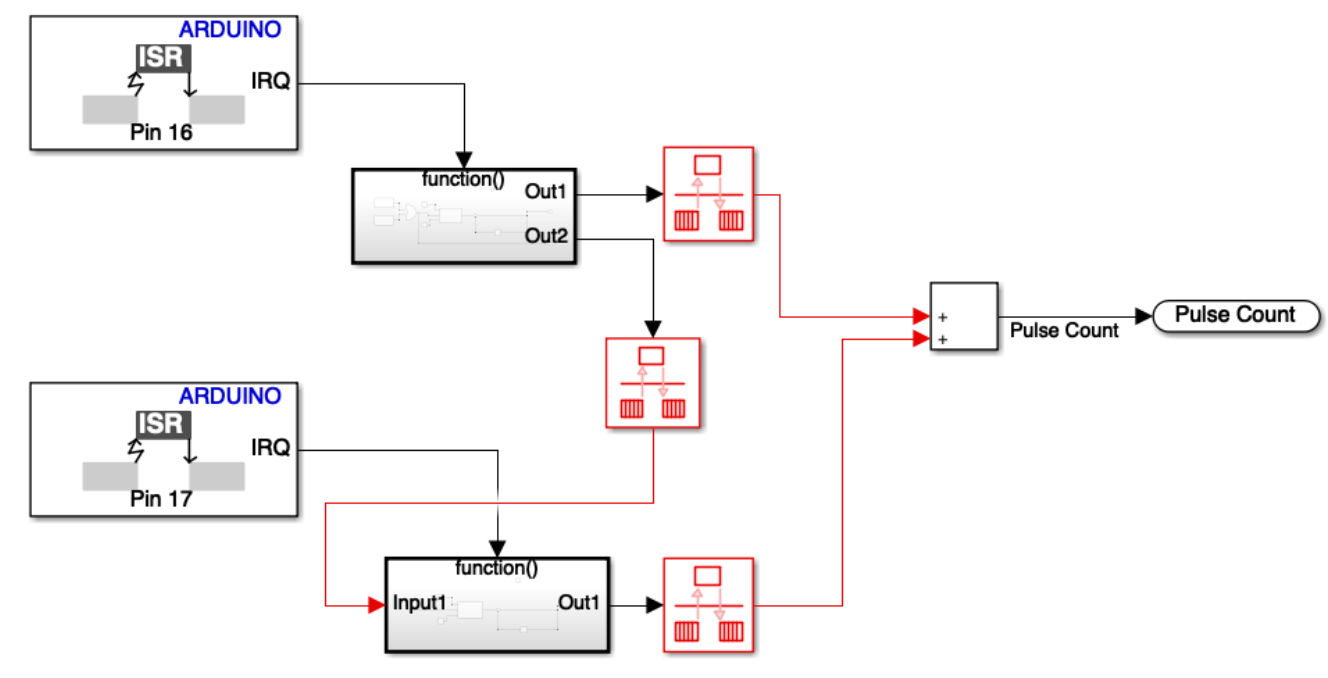
The software was completed in Simulink (A MATLAB-based graphical programming environment).My focus for the software was to develop a controller for the motor drive. Each of the 2 motors had a quadrature encoder, giving 12 pulses for each rotation. Using the interrupt function in the Arduino, the speed of the motors could be measured. This reading was used for a PID controller, allowing a stable motor speed to be set and achieved quickly. This was vital for the 2 motor differential drive system used a the wheels needed to rotate at exactly the same speed to travel in a straight line.
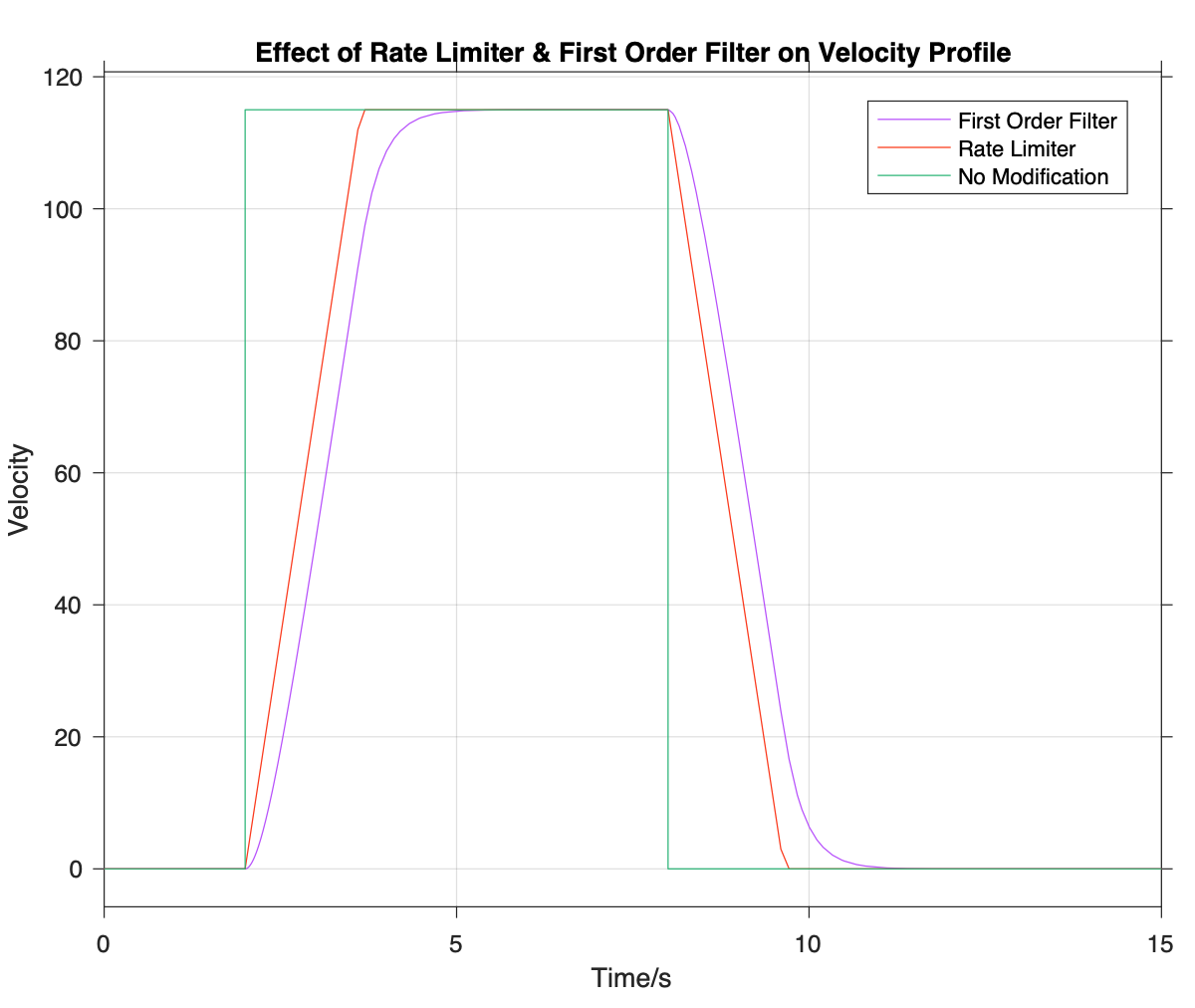
During testing, it became clear that, whilst each motor was spinning at the same speed, there was significant rocking. This caused issues for the camera as it would lose side of the ArUco code it was scanning for. A rate limiter was added to limit the acceleration but this did not fix the issue. Using the data from the accelerometer, it was determined that the rocking was occurring at the start and end of each acceleration. By adding a first order filter to the speed input, the rate of change of acceleration (jerk) was limited to a level that produced an acceptable amount of rocking.
Integrating the ground based spherical robot and the satellite was the biggest challenge of the project and had many problems to be solved.
1) Issues in the Simulink software caused the Arduino to crash when communicating over WiFi.
Testing showed that with was caused by the TCP-IP block and resulted in a workaround being needed for WiFi communication. To allow bi-directional communication, a socket was set up using a python IDE.
2) The JeVois camera on the satellite was unabel to see the ArUco code inside the spherical robot
During testing, the ball became scratched, this obscured the internal ArUco code. Testing found increasing the contrast of the image reduced the likelihood of losing track of the ball.
3) When driving towards an object, the spherical robot would lose track of the target and spin round the wrong way to re-find it
This was causing the process to take too long. The code was changed to detect which side the target had been lost on, allowing the ball to spin back in the right direction.
Whilst the robot met all of the standards required and scored highly in most categories, the key learning from the module was the importance of early integration as this was when most problems occurred. Given more time, further issues could've been fixed to give a more polished demonstration of the achievements made.